Chess Tournament Autoplayer
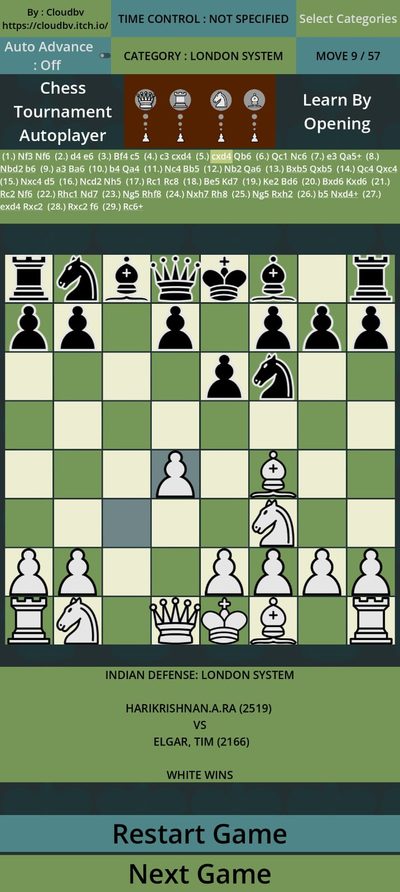
Learn chess openings by watching them played. The app replays real Lichess games move by move on an animated board, grouped by opening, so you see the same ideas show up again and again.
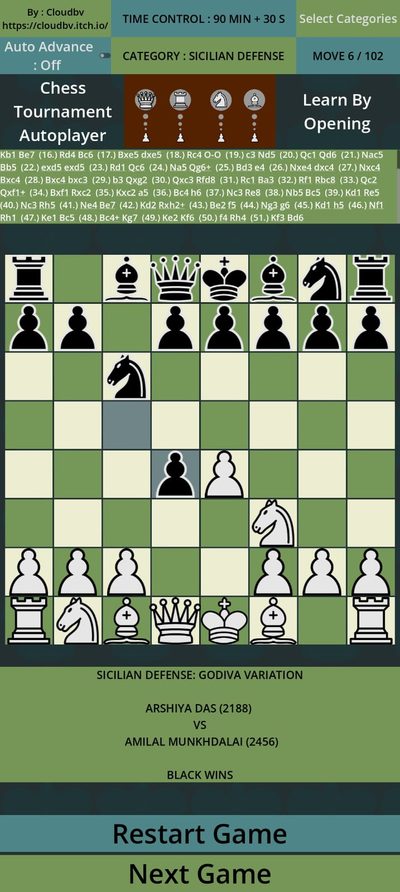
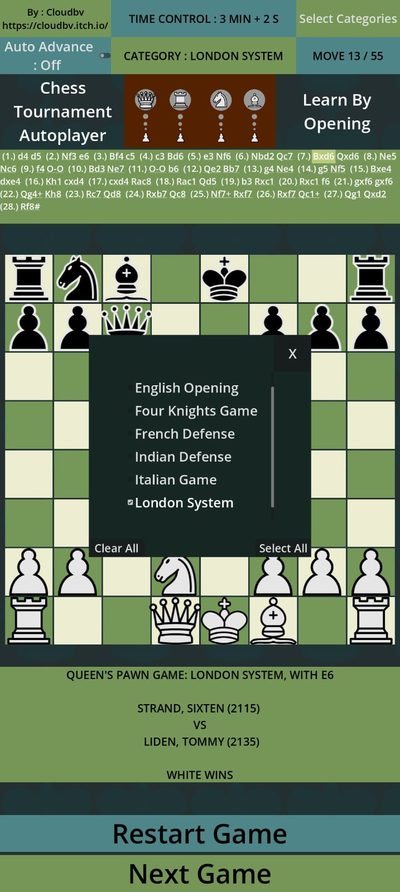
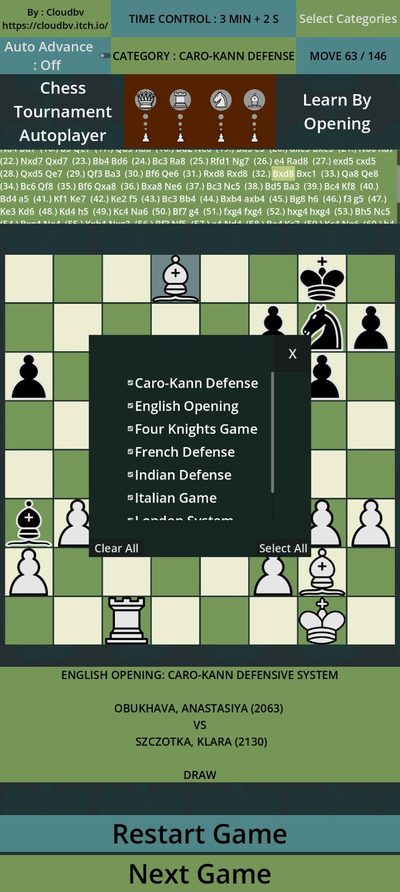
Screenshots
What it does
Plays games for you
Each game plays itself one move at a time, showing both players, their ratings and the result. Turn on Auto Advance and it rolls straight into the next game when one ends.
Sorted by opening
Pick which openings you want to study. Every game comes from a folder for that opening, so you get a run of related positions instead of random chess.
Filter by time control
Switch to time control mode to compare how the same lines look in blitz, rapid and classical games.
Click any move
The notation panel highlights the current move. Click any move in it and the board jumps straight to that position.
Openings included
- Caro-Kann Defense
- English Opening
- Four Knights Game
- French Defense
- Indian Defense
- Italian Game
- London System
- Sicilian Defense
Time controls you can filter by:
- 3 min + 2 s
- 10 min + 30 s
- 15 min + 10 s
- 25 min + 30 s
- 30 min + 3 s
- 45 min + 10 s
- 45 min + 15 s
- 60 min + 30 s
- 90 min + 30 s
Controls
- Next Game
- Load a new random game from your selected openings. On desktop, press Space.
- Restart Game
- Replay the current game from the first move.
- Auto Advance
- Start the next game automatically when the current one finishes.
- Select Categories
- Choose which openings to draw games from. At least one stays selected.
- Select TimeControl
- Choose which time controls to include. Games without one show as Not Specified.
- Notation panel
- Tap a move to jump to it.
- Back button
- On Android, the back button closes the settings menu when it is open.
How it works
1. Cleaning the data
Raw Lichess exports are huge multi-game PGN files. A small Python and Tkinter tool reads them with python-chess, filters by opening, ECO code, Elo, player, result and time control, and writes each game as a short cleaned .txt file. The files are named by opening and sorted into one folder per category.
2. Reading the moves
A PGNParser class loads a game's headers and splits the movetext into move tokens. For each move in standard notation it works out which piece moved by scanning the board from the destination square. That covers knights, sliding pieces, kings, pawn pushes and captures, castling, en passant and promotion.
3. Drawing the board
The board is built from 64 square scenes with a piece scene on top. Moves slide into place with a tween and the last move is highlighted. Jumping to a move skips the animation and rebuilds the position instantly.
The parser replays games that already happened, so it doesn't check move legality or detect check. That keeps it small and fast, and the source games are real, finished games.
Project layout
main.tscn            root scene: background, logo, move timer
scenes/
  chess_board.tscn  8x8 grid of squares
  square.tscn       one square with highlight
  piece.tscn        one piece sprite
  ui.tscn           buttons, labels, filter menu
scripts/
  main.gd           game loop, filters, autoplay
  chess_board.gd    board state, move animation, castling,
                    en passant, promotion
  pgn_parser.gd     game loading, move tokenizing, origin search
  square.gd         square colors and highlight
  piece.gd          piece type, color and sprite
  ui.gd             signals, menus, notation panel
assets/
  games/<opening>/  cleaned game files, one folder per opening
  sprite/pieces/    piece images
Built with Godot 4 and GDScript. The game files are plain text.