Assignment Lottery
A small desktop app that randomly hands out tasks to people. Paste in two lists, press Draw, and get a fair, shareable result.
Download on itch.io Run from source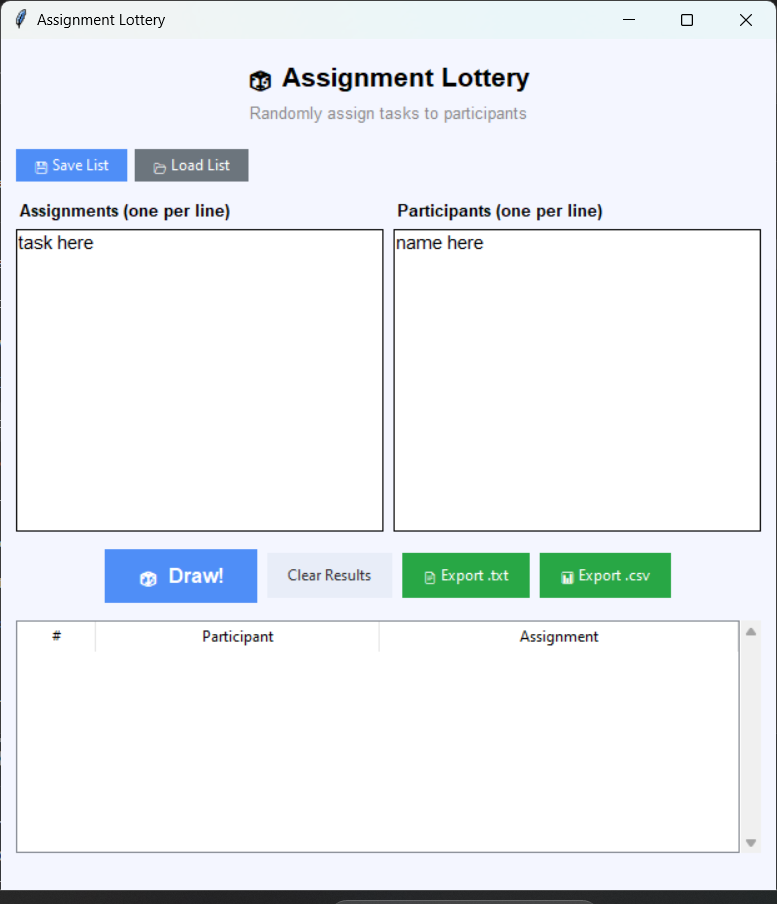
What it does
Assignment Lottery is a Python and Tkinter program for chores, presentation topics, secret-santa style draws, classroom roles, or any time you need to split tasks without arguing about who gets what. You type one assignment per line on the left and one participant per line on the right. The draw pairs each person with a task at random and shows the result in a table.
Features
Fair random draw
Uses Python's random module. Nobody gets picked first or last on purpose.
Save and load lists
Store both lists as a .json file and reopen them later, so recurring groups are one click away.
Export results
Save the draw as a plain .txt file or a .csv that opens in Excel or Google Sheets.
Resizable window
The text boxes and window stretch to fit long lists, and the results table scrolls.
No dependencies
Only the Python standard library. Nothing to pip install.
File dialogs, no hardcoded paths
You choose where files are saved and loaded every time.
How assignments are handed out
Enough tasks for everyone: each participant gets a different task, with no repeats.
More participants than tasks: the tasks are shuffled and then repeat in a loop until everyone has one.
Blank lines and extra spaces are ignored. If either list is empty, the app asks you to fill it in.
Run it
You need Python 3 with Tkinter, which is included with the standard Windows and macOS installers. On some Linux systems install it with sudo apt install python3-tk.
git clone https://github.com/cloudbv/assignment_lottery.git
cd assignment_lottery
python3 assignment_lottery.py
Using the app
- Type your tasks in Assignments and your names in Participants, one per line.
- Press Draw!. The results appear in the table below.
- Press Export .txt or Export .csv to save them, or Clear Results to start over.
- Use Save List and Load List to keep your lists for next time.
Files the app creates
| File | Made by | Contents |
|---|---|---|
.json | Save List | Your assignments and participants, as typed |
.txt | Export .txt | Numbered list: 1. Name → Task |
.csv | Export .csv | Columns: #, Participant, Assignment |