Screenshots
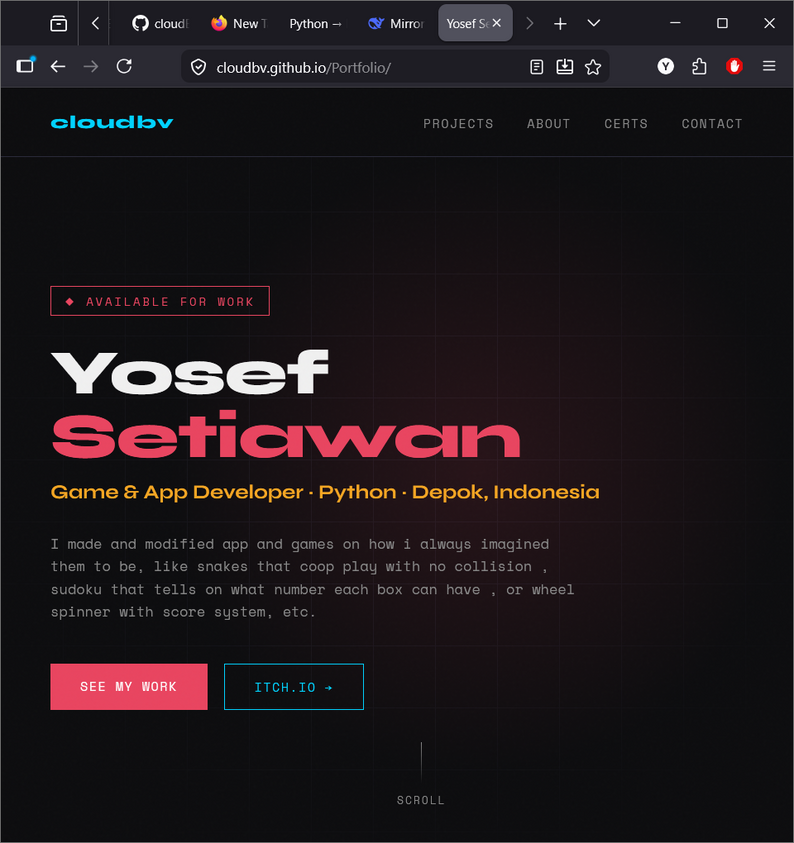
The editor on the left of each pair of tabs, and the website it produces below.
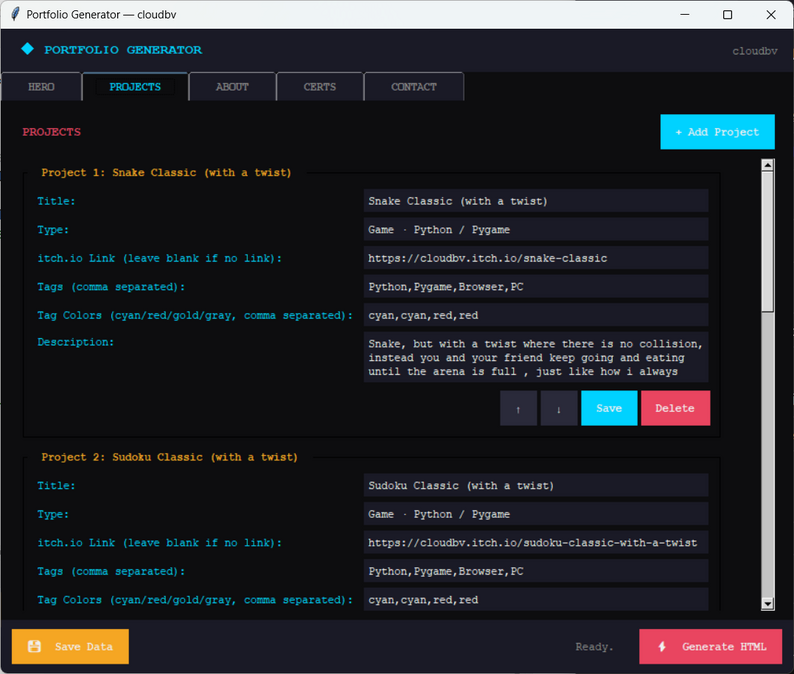
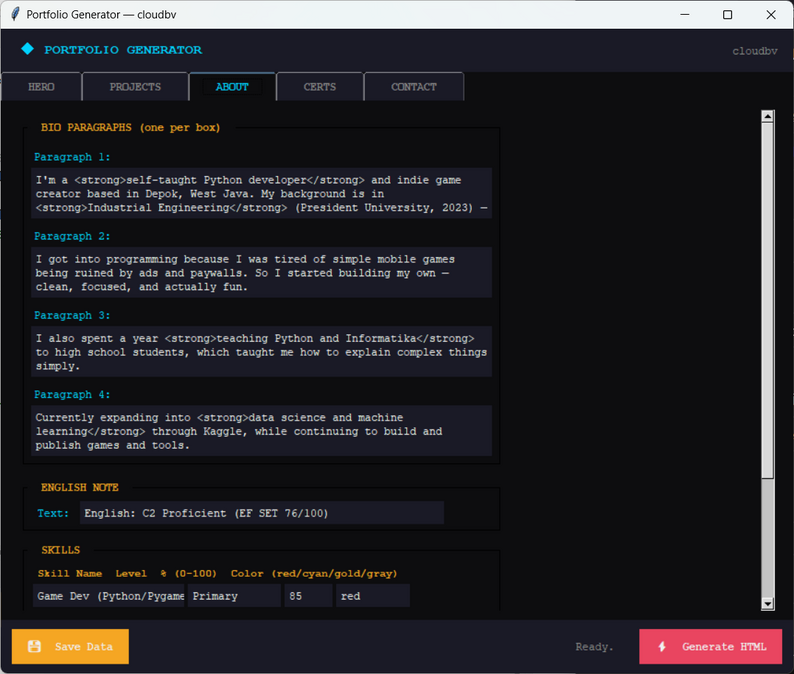
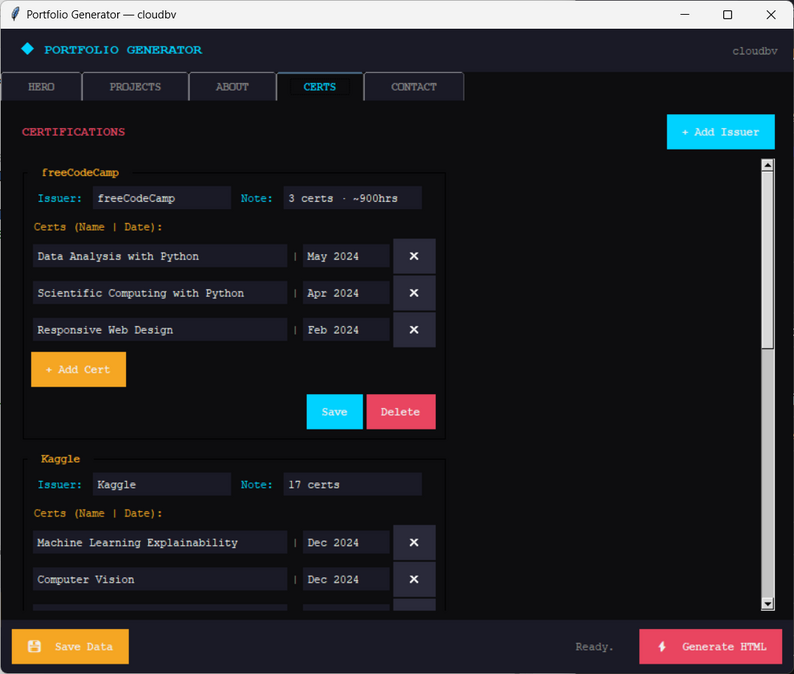
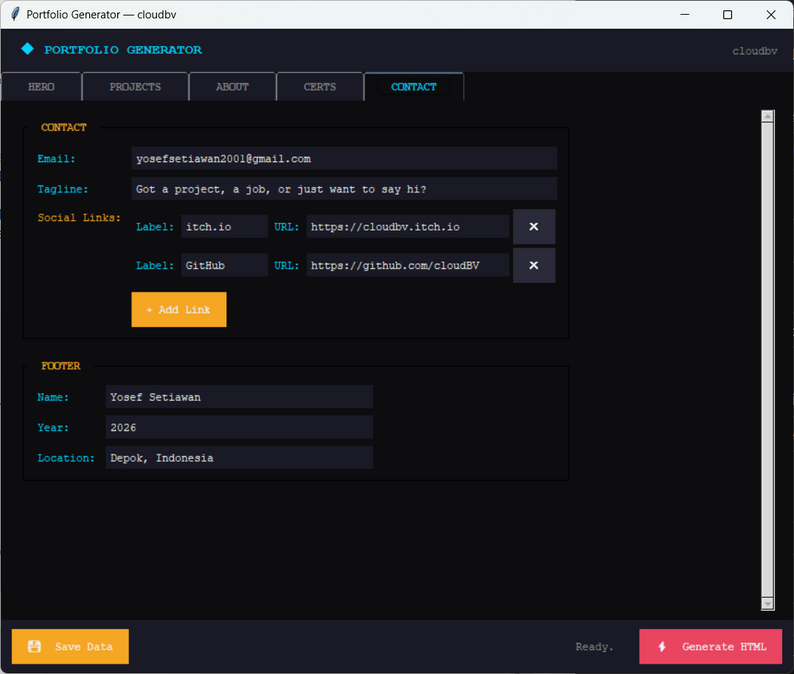
A small desktop app written in Python. You type your details into a form, click Generate HTML, and it writes a complete, good-looking portfolio website you can host free on GitHub Pages.
Everything is saved to a local file, so you can close the app and keep editing later. When you're happy, one click rebuilds the whole site.
Go through the five tabs and enter your name, projects, skills, certificates and contact details.
The app writes index.html next to the script. It also saves your data to portfolio_data.json.
Upload index.html to your repo root and turn on GitHub Pages. Your site is live.
Each tab in the app matches one section of the website you get.
Your name (second line shows in red), subtitle, short intro, itch.io button link, and an optional "Available for work" tag.
Add, delete and reorder project cards. Each has a title, type, description, link and coloured tags. Leave the link empty and the card simply isn't clickable.
Bio paragraphs (basic HTML like <strong> works), an English-level note, and skill bars with a level, a percentage and a colour.
Group certificates by issuer, with a note and a date on each one. Add or remove as many as you need.
Email, a tagline, any number of social links, plus the footer name, year and location.
The editor on the left of each pair of tabs, and the website it produces below.
Install Python 3 if you don't have it. Tkinter comes with it, so there is nothing else to install. Then run:
# in the folder with the script
python portfolio_generator.py
Edit your details, then press Save Data or Generate HTML.
index.html to the root.main and the / (root) folder, then save.username.github.io/repo-name.